A homeowner signs for a new roof on Monday. By Thursday they have called the office twice: once to ask when the crew is coming, and once to ask which shingle color they picked. Neither call is a problem on its own, but multiply them across forty open jobs and your office manager spends half the day reading the same answers off a screen the customer cannot see.
A customer portal fixes that by letting the homeowner see their own job. The idea is simple. Doing it well takes some thought about what belongs in front of the customer, what stays in the office, and how the portal fits the way your crews and estimators already work.
Why Homeowners Call the Office
Look at the last week of inbound calls and texts from sold customers. Most of them fall into a short list:
- When does the crew start, and how long will they be there
- Which color, drip edge and ridge cap did we choose
- Can I see the contract I signed again
- What do I still owe after the deposit
- Is the job done, and what happens next with the warranty
- I sent you a photo of a leak. Did anyone see it
Every one of these questions has an answer that already lives in your system. The customer is calling because they cannot reach it. A portal is just a window into the parts of the job that belong to them.
What a Roofing Customer Portal Should Show
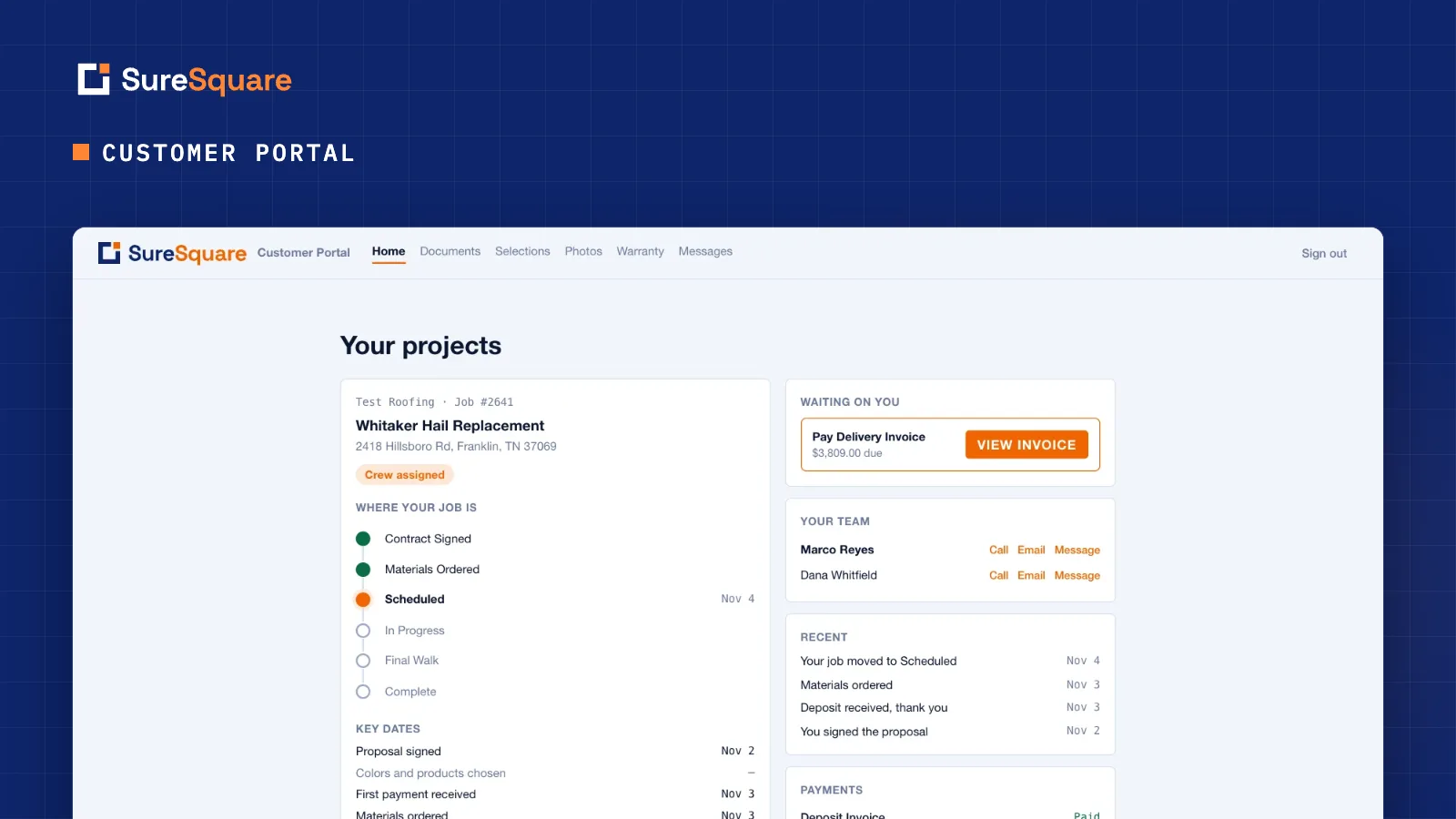
Their documents, in one place
The signed proposal, any change orders, invoices, and warranty paperwork should all be there without a search through old email. When a homeowner asks "what did I agree to," the answer is the signed document, not a staff member's memory of it. This matters most on jobs where the scope changed. If the deck had rotted plywood and you replaced 6 sheets at the agreed unit price, the signed change order should sit right next to the original proposal so the final total makes sense.
Their selections
Color and product choices are a common source of confusion and a common source of mistakes. A portal should show exactly what the customer picked: shingle line and color, drip edge color, ridge cap, and any upgrades like ice and water shield on the full deck or a better underlayment. Showing the choices as good, better and best options from your own product lists makes it easy for the homeowner to compare and harder for anyone to order the wrong bundle.
Where the job stands
Homeowners want to know one thing more than anything else: what happens next. A plain progress view answers it. Sold, materials ordered, scheduled, in progress, complete. Keep the stage names in the customer's language. "Production" means something to your team. "Your roof is scheduled for the week of the 18th" means something to the homeowner.
A place to message the company
Questions will still come up. The difference is where they land. A message sent through the portal should attach to the job, so the project manager, the office and the estimator all see the same thread. That beats a text to one salesperson's cell phone that nobody else can read when that person is on a roof.
What to Keep Out of the Portal
A portal shows the customer their job. It should never show them your business. Before you turn one on, decide what stays internal:
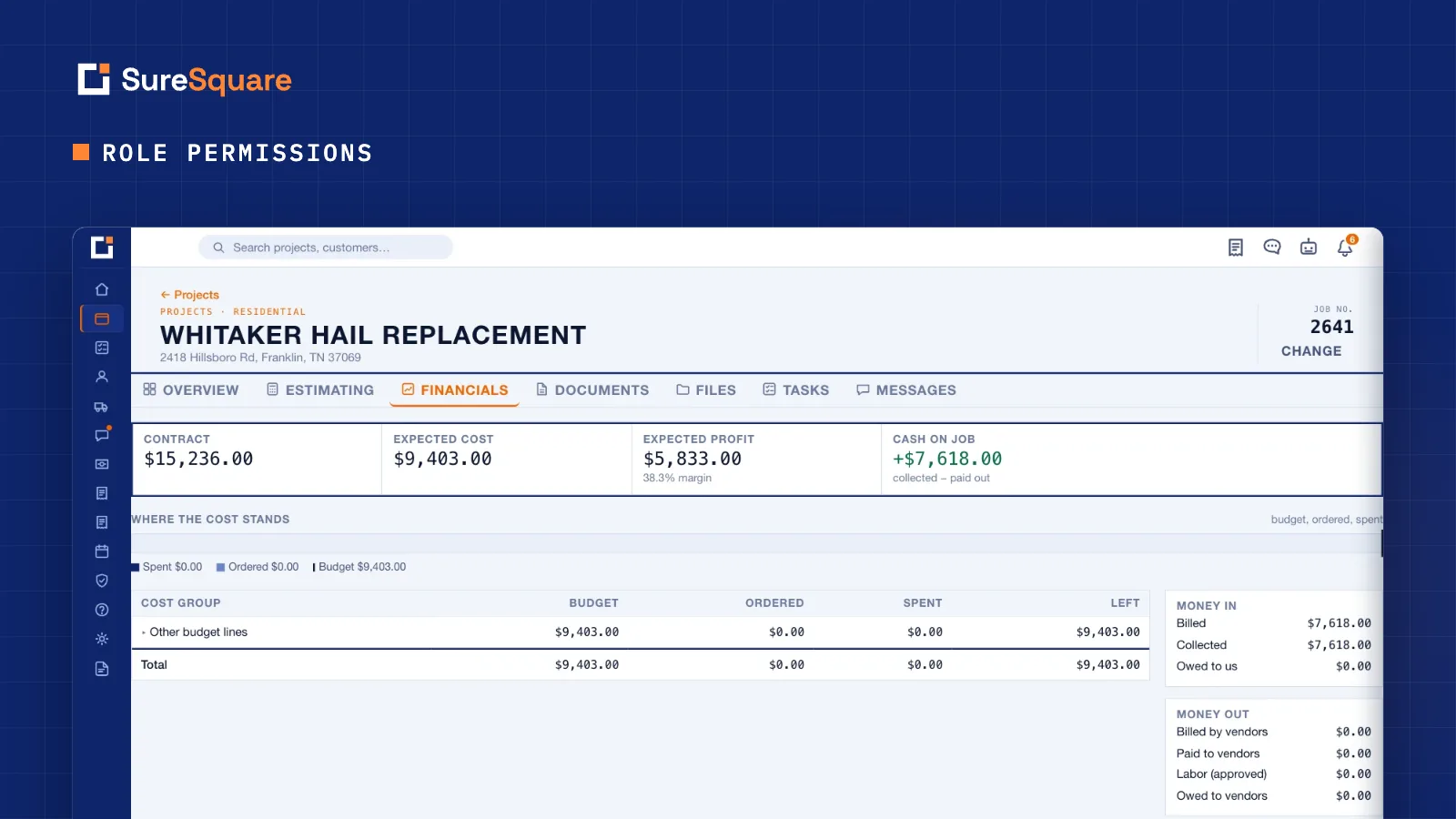
- Cost and margin. The homeowner sees the price on the signed proposal. They should never see your material cost per square, labor rate or markup.
- Internal notes. Comments like "customer is difficult" or "upsell gutters" belong in the office, not on a screen the customer can open.
- Supplier and crew details. The customer needs to know the crew is coming Tuesday. They do not need your supplier's pricing or a subcontractor's pay sheet.
- Draft documents. Only send what is ready. A half-finished estimate in the portal invites a phone call you do not want yet.
Getting this split right is mostly about the software. If your system cannot tell the difference between a customer-facing document and an internal one, a portal is risky. Look for one that keeps cost and margin hidden by role, and only shows the customer what you have sent them.
How Selections in the Portal Cut Rework
Selections deserve their own section because they touch margin directly. When a homeowner picks colors over the phone, someone writes it down, someone else enters it into the order, and the supplier delivers whatever made it through. A wrong color shows up on the driveway and you either eat a restocking fee or install something the customer did not choose.
When the customer picks in the portal, the choice is in writing and attached to the job. If the pick costs more than what was included in the base price, such as upgrading from an architectural shingle to a designer line, the difference should become a change order the customer signs, not a conversation the crew has on the roof. For a closer look at that step, see our post on getting roofing change orders paid.
Setting Up a Portal Without Extra Office Work
A portal only reduces calls if the information in it is current. If the office has to update the portal separately from the job, it will fall behind within a week and customers will stop trusting it. A few rules keep it working:
- The portal should read from the job, not a copy of it. When the project manager moves the job to scheduled, the customer should see it without anyone retyping it.
- Send documents from the job. Proposals, change orders and invoices sent from the job record should appear in the portal automatically.
- Give the customer a real login. A link that expires or gets forwarded is not the same as an account the homeowner can return to after the job is done, when warranty questions come up.
- Tell the customer about it at signing. The salesperson should walk the homeowner through the portal before leaving the kitchen table. A portal nobody knows about saves nobody a phone call.
Retail, Insurance and Commercial Customers See Different Things
Not every roofing customer needs the same view. A retail homeowner cares about colors, schedule and the final balance. An insurance customer also needs to understand how the claim amount, deductible and any supplements relate to what they owe, and they may need copies of documents to send their carrier. A commercial building owner or property manager may care more about the schedule, submittals and the warranty paperwork at closeout than about shingle colors.
The portal does not need a different design for each. It needs the right documents attached to each job type. If your job types already capture different fields for a retail re-roof and an insurance claim, the portal will naturally show each customer what applies to them.
After the Job: The Portal Keeps Working
The job is not over when the crew leaves. Final invoices, lien waivers, manufacturer warranty registration and your own workmanship warranty all come after the last bundle is installed. A homeowner who can open the portal two years later and find their warranty paperwork is a homeowner who calls you, not a stranger, when they need a repair or when a neighbor asks who did their roof.
It also helps on the money side. When the customer can see the signed proposal, the change orders and the invoice together, there is less room for a dispute over the final balance. Our post on how roofing contractors get paid faster covers the rest of that process.
A Quick Portal Checklist
- Signed proposal and change orders visible together
- Selections shown as the customer picked them
- Progress stages written in plain language
- Messages that attach to the job, not to one person's phone
- Cost, margin and internal notes hidden
- A login the customer keeps after the job closes
- Warranty paperwork available at closeout
SureSquare CRM includes a customer portal with its own login, where homeowners see their documents, selections, messages and progress. It is part of the same system that runs your pipeline, estimates, proposals and crew schedule. You can see how it fits together on the SureSquare CRM page, or check CRM pricing, which is $149 a month base plus $18 per user per month, billed annually. Questions can go to sales@suresquare.bid.