The tear-off is half done when the crew finds 12 sheets of soft decking nobody priced. The foreman calls the office, the office says go ahead, and the homeowner says "sure, fix it" from the driveway. Six weeks later that homeowner is looking at a final invoice with a line they do not remember approving, and the roofer is deciding whether to fight over it or eat it.
Most lost change order money is lost that way. The work was real and the customer agreed to it, but nothing was written down before the crew kept going. A roofing change order process does not need to be complicated. It needs to be fast enough that a foreman will actually use it from a roof.
What Counts as a Roofing Change Order
A change order is a signed agreement that changes the scope, the price or the schedule of the original contract. On roofing jobs, the common triggers are predictable:
- Rotten or delaminated decking beyond what the contract allows
- A second or third layer of shingles found during tear-off
- Upgrades after signing, such as a different shingle line, ridge vent or ice and water shield in more of the valleys
- Added work on a detached garage, a porch tie-in or a section of fascia and drip edge
- Code requirements the inspector calls out after the job starts
- On low-slope work, wet insulation found under the old membrane, extra parapet flashing or drains that have to be relocated
Credits count too. If the customer drops the gutters or switches to a cheaper accessory, write it up the same way. A change order that lowers the price builds trust, and it keeps the contract total matching the final invoice.
Set Up the Change Before the Job Starts
The easiest change order to collect on is the one the contract already described. Your proposal should tell the customer what happens when the crew opens the roof and finds something unexpected.
Write a unit price into the proposal for the items you see most often. Decking per sheet is the obvious one. Extra layers of tear-off per square, step flashing per linear foot and fascia replacement per linear foot are also worth listing. State how many sheets of decking are included in the base price, even if the answer is none.
When the price is already in a document the customer signed, the conversation on the day of the job is about how many sheets, not how much a sheet costs. If your current template does not cover this, our article on what roofing proposal software should handle is a good place to start.
Add a sentence on how approvals work as well. Name who can approve a change, how the approval is given and what happens to the schedule while the crew waits on an answer. Contract requirements for home improvement work differ from state to state, so have your attorney review the language.
A Simple Field Process That Holds Up
A change order process has to work when it is 3 p.m., rain is coming in, and part of the deck is open. Keep it to five steps.
1. Stop and photograph
Take a wide photo that shows where on the roof the problem is, then close-ups of the damage. Put a tape measure in the frame when the size matters. Take the photos before anything gets pulled off and thrown in the dumpster. Once the rotten sheet is gone, the evidence is gone with it.
2. Measure and count
Record the actual quantity. Twelve sheets, 4 extra squares of tear-off, 22 LF of fascia. "Some extra decking" is not a quantity anyone can bill for. No estimate or takeoff can see inside a roof, which is why our estimating disclaimer says installed quantities can vary with field conditions. The count from the field is the number that belongs on the change order.
3. Price it the same day
Use the unit price from the contract when one exists. If it does not, build the price from material, labor, equipment, overhead and profit, the same way you built the original estimate. Here is a made-up example: 12 sheets at a contract price of $95 per sheet installed comes to $1,140. The customer can check that math in a few seconds.
4. Get a signature before the work continues
Send the change order with the photos attached. It should state the original contract amount, the amount of the change, the new contract total and any change to the finish date. An electronic signature from a phone is usually faster than waiting for someone to come home from work.
Sometimes a roof cannot stay open while you wait. In that case, protect the building, send a written summary immediately, and follow up for the signature. A text saying "approved, go ahead" is better than a memory of a conversation, but it is not as good as a signed document. Decide ahead of time who at your company can authorize work before a signature, and for how much.
5. Update the numbers
Add the approved change to the job budget and the billing the day it is signed. If the change only lives in a foreman's text thread, the office will invoice the original contract amount and someone will have to catch the miss later.
Change Orders on Insurance Jobs
A supplement and a change order are different documents with different audiences. A supplement asks the carrier to add covered scope to the claim. A change order is an agreement between you and the property owner.
The two often overlap. Additional decking found at tear-off may go to the carrier as a supplement, and the owner may also want an upgrade the carrier will never pay for. Keep them separate. Track what was requested from the carrier, what was approved and what is the owner's responsibility, so that nobody assumes the insurance company is covering an upgrade. Do not build any upgrade cost into a supplement.
Commercial Jobs Need More Paper
On commercial work, the contract usually spells out how changes are submitted, who can approve them and how long you have to give notice. Read that section before the job starts. A general contractor may require a written request before the change, a cost breakdown in a specific format and a signed change directive before any added work begins.
Missing a notice deadline can cost you the right to payment even when the extra work is plainly real. Log the date you discovered the condition, the date you gave notice and who received it. If a superintendent tells a crew to do extra work, get that direction in writing and send it to your project manager the same day.
Mistakes That Cost the Most
- Letting the crew approve scope. A foreman can document a condition. Someone with pricing authority should approve the price.
- Bundling changes into one lump sum. "Additional work: $3,800" invites an argument. Line items do not.
- Waiting until the final invoice. A customer who sees a change for the first time on the last bill feels surprised, even if they agreed to it weeks ago.
- Pricing materials only. Extra decking also takes labor, disposal and sometimes another day on the schedule.
- Not tracking the cost side. If the budget does not change with the contract, job costing will show the wrong margin at closeout.
- Saving the photos on one person's phone. The record has to stay with the job when that person is off, or no longer works for you.
Keep the Change With the Job
The real goal is one record: the photos, the price, the signature, the customer conversation and the updated budget, all on the same job. When a dispute comes up in month three, nobody should have to dig through a personal text thread to find out what was approved.
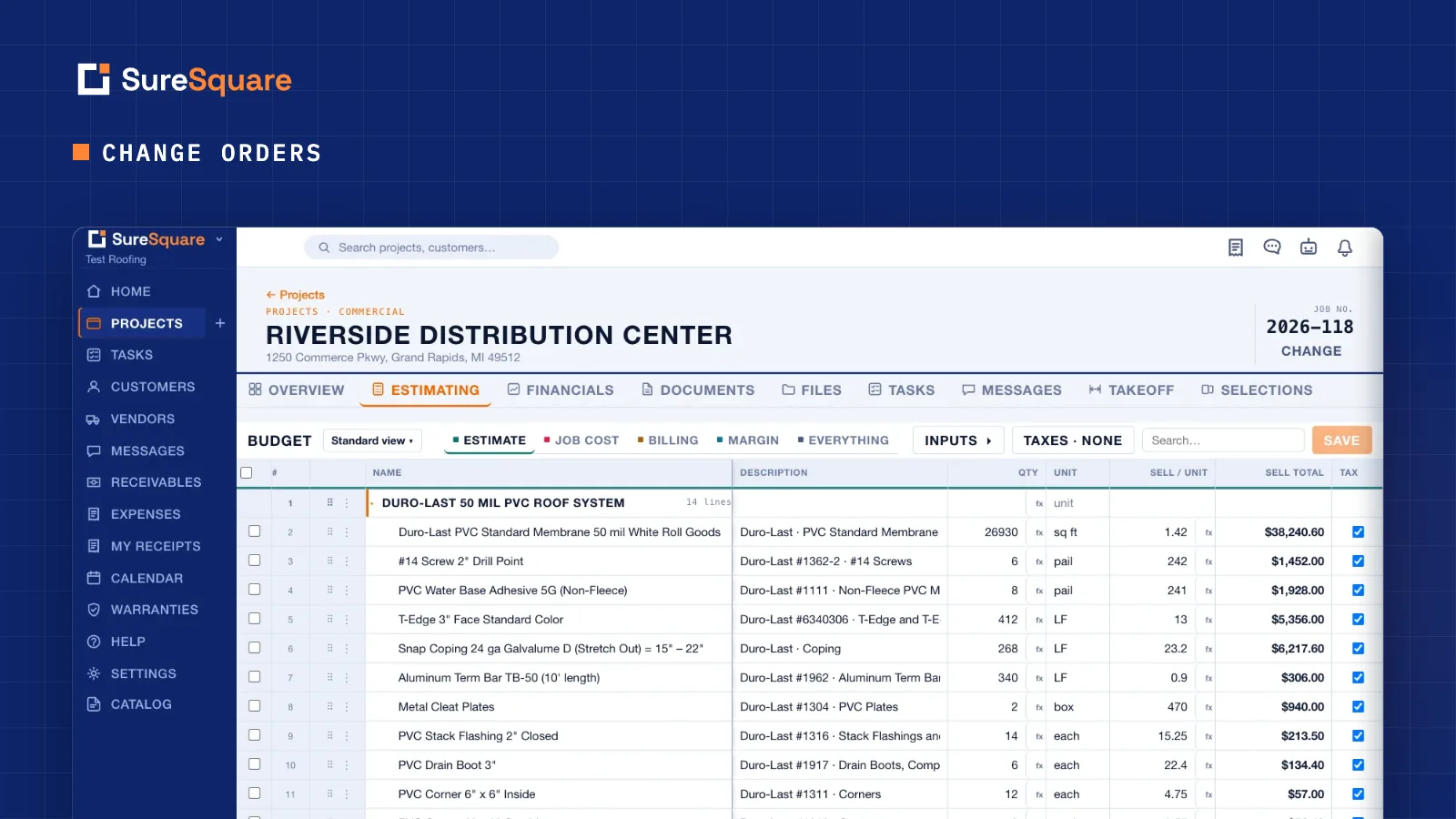
SureSquare CRM keeps project files, email with the customer and e-signed documents on the job, with a full audit trail on each signature. When a customer signs a selection in the portal, it becomes a change order automatically and updates the job budget, and budget vs. actual shows the effect on cost. Your office and your customer are working from the same record.
Whatever system you use, write the rule down this week: no added scope without a photo, a count, a price and a signature. Then make that rule easy enough for a foreman to follow from the roof.