The takeoff is done, the material is priced and the number is sitting in the proposal. Then Addendum 3 shows up two days before bid day with a revised roof plan, a new detail sheet and a line in the narrative that changes the insulation spec.
Most estimators have two bad options in that moment. Re-measure the whole roof and lose a day, or skim the addendum, adjust a couple of line items by feel and hope nothing else moved. The better option sits in between: find exactly what changed, update only those quantities, and keep a record of what you did.
Why Addenda Hurt Roofing Bids
A roof is one of the last trades the design team finishes. Mechanical units get relocated, a parapet height changes after the structural review, a canopy gets added at the entrance, or the owner swaps from mod-bit to TPO. Each of those reaches the roofing number, and most of them do not announce themselves.
The cost of missing one is lopsided. If the addendum adds 6 squares and you bid the old plan, that material and labor come out of your margin. If the addendum removes a section and you bid the old plan, you are high and lose the job to someone who read it. Either way the takeoff no longer matches the documents you signed against.
Step 1: Log Every Addendum Before You Touch the Numbers
Before you change anything, write down what you have. A simple log at the top of the bid folder does the job:
- Addendum number and date
- Sheets reissued, with their revision letter or number
- Narrative items that mention the roof, insulation, flashing, drains or sheet metal
- Whether the takeoff you priced was measured before or after it
This sounds like paperwork, but it is the step that prevents the worst mistake on a revised bid: pricing Addendum 2 when Addendum 3 is the current set. It also gives you something to point to if the general contractor later asks which documents your number is based on.
Step 2: Find What Changed on the Drawings
Architects usually mark revisions with clouds and a delta symbol tied to the revision number. Start there, but do not stop there. Clouds get missed, and a change on one sheet often shows up on another sheet that was not clouded.
Go through the reissued roof sheets in this order:
- Roof plan. Compare outlines, slope arrows, ridge and valley locations, and roof areas. A moved wall line on a low-slope roof can change both the field area and the parapet length.
- Roof details. New or revised details for edges, curbs, expansion joints, scuppers and coping change linear feet and accessory counts even when the plan view looks the same.
- Mechanical and plumbing roof plans. Relocated or added RTUs, exhaust fans and vent stacks change penetration counts, curb flashing and walkway pad layout.
- Elevations and wall sections. Parapet heights and wall flashing heights often change here first.
- Specifications and narrative. A spec section change can swap the membrane, the insulation thickness, the attachment method or the warranty term without touching a single drawing.
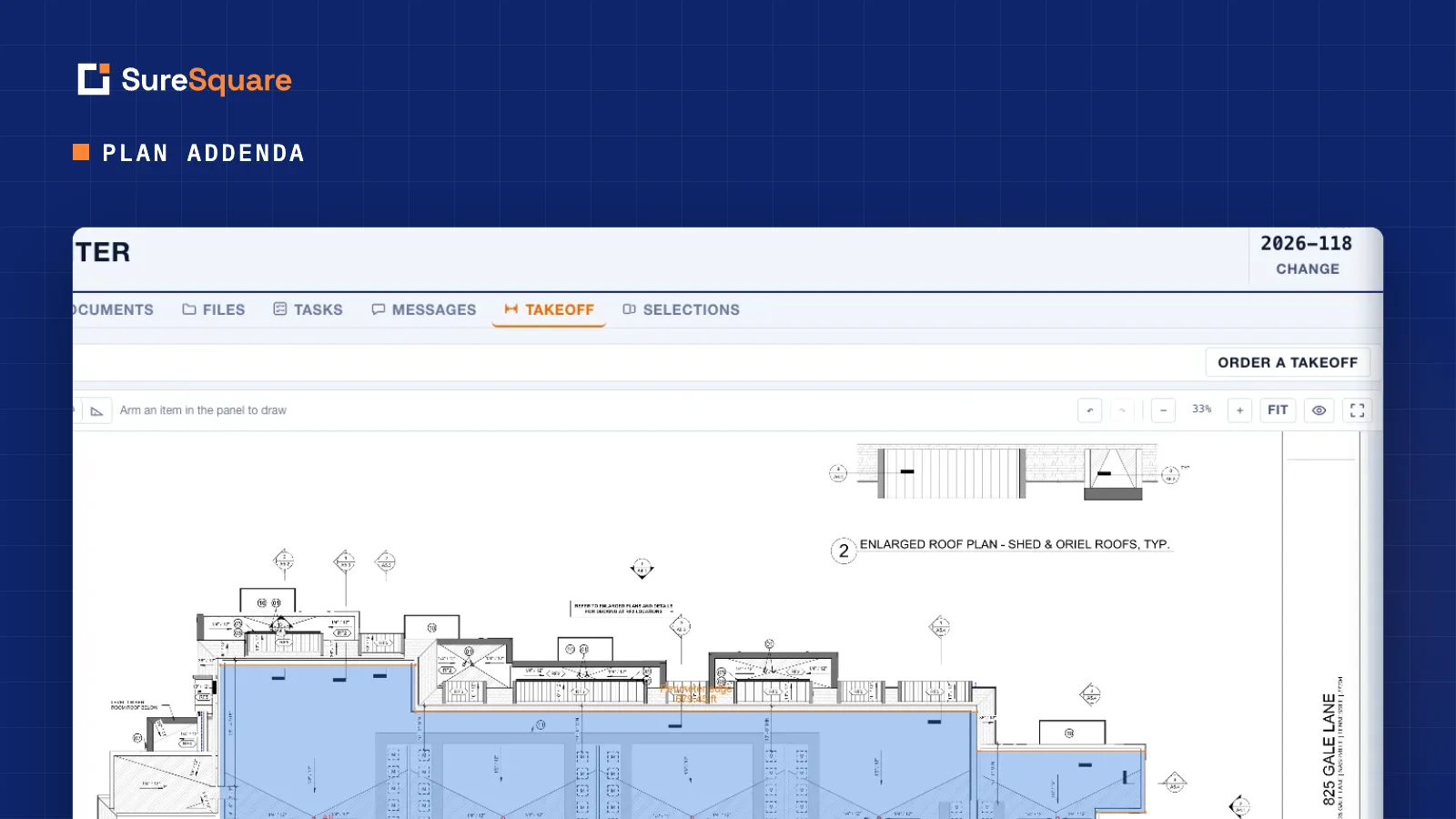
If you have the old and new sheets as PDFs, overlaying them at the same scale is the fastest way to see a shift. Anything that does not line up is a candidate change.
Step 3: Sort Changes by What They Touch
Not every change moves the same quantities. Sorting them keeps the update small and keeps you from re-measuring areas that did not change.
Area changes
A new section of roof, a removed section, or a changed footprint. These move squares of membrane or shingles, insulation boards, cover board, underlayment and adhesive. On steep-slope work, a changed pitch on one facet also changes its true area, so re-check pitch on any facet that was redrawn.
Linear changes
Changed edges, parapet lengths, wall heights, valleys, hips or ridges. These move drip edge, gravel stop, coping, termination bar, wall flashing, ridge cap and valley metal. A taller parapet does not change the plan view at all, but it adds base flashing area on every foot of wall.
Count changes
Added or moved drains, scuppers, curbs, pipes, vents and skylights. Each one carries its own flashing, boots or pitch pans, and sometimes added labor that is easy to forget when only the count changes.
Spec changes
Membrane type, thickness, insulation R-value, attachment pattern, color or warranty. These may not change a single measured quantity, but they change unit cost, fastener counts and sometimes coverage rates. Re-price them even when the takeoff numbers stay the same.
Step 4: Update Only the Affected Quantities
With the changes sorted, go back to the takeoff and update just those lines. Keep the old value next to the new one, at least until the bid goes out. A small table with three columns works: line item, old quantity, new quantity.
Then apply waste the same way you did the first time. If the original takeoff carried 10 percent on shingles and the addendum adds two facets, those facets get the same treatment. Mixing a waste-included number with a raw number is a common way to come in short. There is more on that in our post on roofing takeoff waste factors.
When the change is large, such as a new building wing or a completely redrawn roof plan, it is usually faster and safer to have the affected roof areas measured again from the new sheets than to patch the old numbers.
Step 5: Re-Price and Re-Check the Number
Once quantities are updated, push them through pricing and compare the total against the version before the addendum. Ask whether the difference makes sense:
- If the addendum added a 1,200 square foot canopy, does the bid go up by roughly the cost of 12 squares of that system plus its edges?
- If the addendum only changed the membrane spec, did the total move by about the material price difference and nothing else?
- If the bid went down after an addendum that only added scope, something was dropped by mistake.
This sanity check catches the errors that slip in while editing, like a quantity typed into the wrong row or a deleted line that was never meant to go.
Step 6: Say Which Addenda You Priced
Put the addenda you received and priced on the proposal or bid form. One line is enough: "This proposal is based on drawings and specifications through Addendum 3 dated November 12." If a later addendum shows up after award, that line is your basis for a change order rather than an argument.
It also helps the general contractor compare your number against other bids. A low bid that missed an addendum is a problem for everyone once the job starts.
Common Mistakes With Revised Plans
- Trusting the clouds. Changes outside the clouded area are common. Compare the whole roof sheet.
- Ignoring the spec book. A spec change with no drawing change still changes cost.
- Updating area but not edges. A bigger roof almost always means more perimeter, more edge metal and more wall flashing.
- Forgetting the penetration details. A relocated RTU may keep the same count but add a new curb size or a taller curb flashing.
- Losing the old version. Without the before numbers, you cannot check that the change in total makes sense.
Sending a Revision to an Outsourced Takeoff
If a U.S. estimator measured the original takeoff for you, send the addendum with a short note: which sheets changed, which roof areas or items you think are affected, and the bid date. That lets the estimator focus on the changes instead of re-reading the whole set. Upload the full reissued sheets, not cropped screenshots, so scale and notes come through.
SureSquare takeoffs are measured by a person from your plan set and delivered as a PDF and CSV report, so the revised numbers drop into your estimate the same way the first set did. Additional revisions are $29 each, and rush turnaround is available when bid day is close. Current options are on the pricing page.
Whoever does the measuring, a takeoff is a reading of the drawings it was based on. Review revised quantities against the current documents before you bid, as covered in our estimating disclaimer.
Bid Day Without the Scramble
Addenda are part of every bid. The contractors who handle them well are not faster at measuring. They log what came in, find what changed, update only what moved, and write down which documents the number is based on. If you would rather hand the re-measure to someone else when an addendum lands, send the reissued sheets and the bid date to sales@suresquare.bid.